
Hugo vs. Jekyll: Benchmark
Contents
Loading Times#
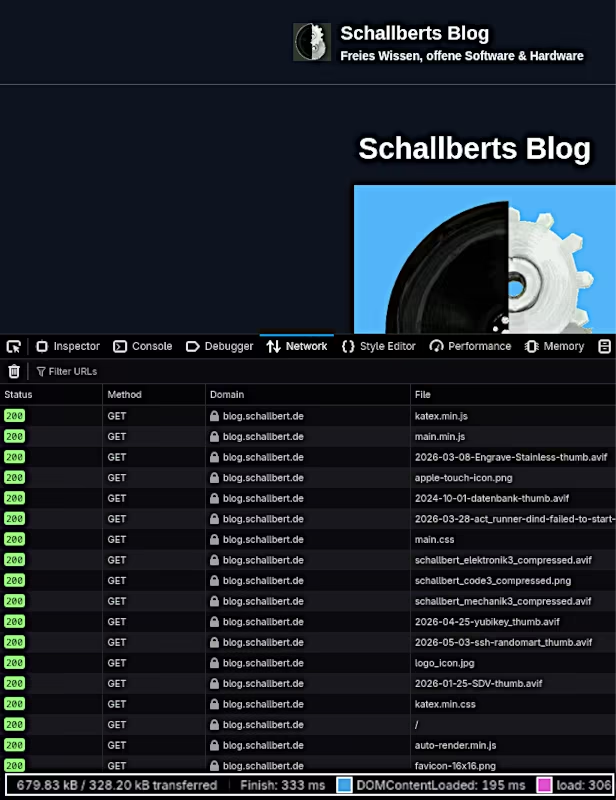
Let’s take a look at how my site loads using Jekyll compared to Hugo. To do this, I open the Developer Tools (F12) in my browser, select the Network tab, and click on All. Then, I reload the page.
This results in the following list:
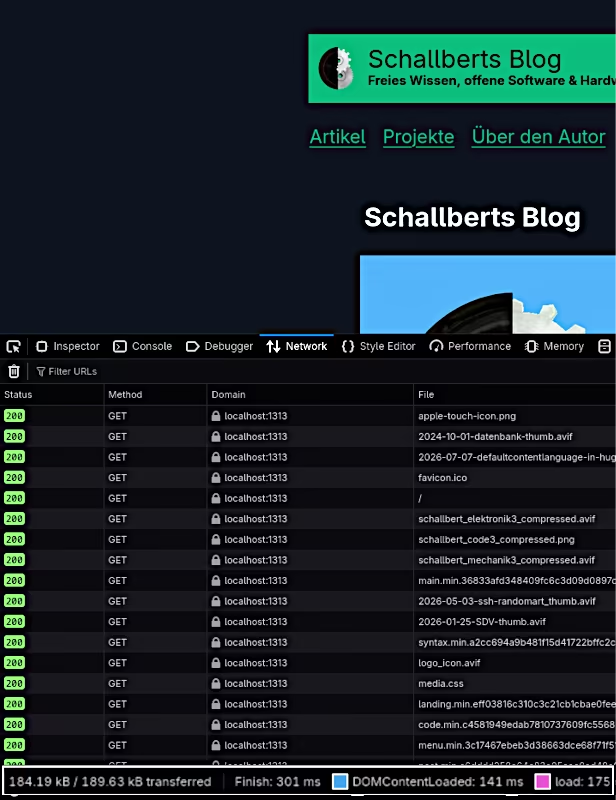
It is worth noting that I am not actually comparing Jekyll with Hugo here, but rather their output. Consequently, the chosen themes are the primary factors determining size and time to load. In effect, I am comparing the Minimal Mistakes theme in Jekyll with the Terminal theme in Hugo. In this instance, Hugo is about 10% faster than Jekyll.
Size#
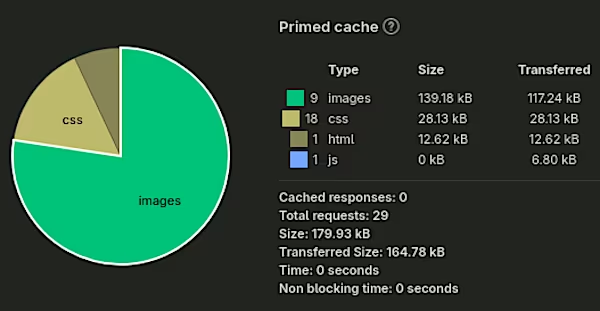
I get a different chart when I click the stopwatch icon at the bottom left to run a performance analysis. For my Jekyll implementation, the pie charts show that images make up the largest share, followed by CSS and JS. With Hugo, JS usage drops to near zero, and the share of CSS has also decreased.
The table below compares a few of my pages directly. However, this overview should be viewed with caution: the values can fluctuate upon reloading (even with the cache disabled). This is particularly true for embedded third-party content, such as my videos, which can yield widely varying figures. Overall, however, I have achieved significant optimizations using Hugo and the ‘Terminal’ theme.
| Item | minimal-mistakes | terminal-schallbert | Jekyll | Hugo | ||
|---|---|---|---|---|---|---|
| transferred | [kB] | Diff [%] | time | [ms] | Diff [%] | |
| Landing | 163.47 | 98.68 | -39 | 30 | 30 | 0 |
| Post | 2861 | 1767 | -38 | 340 | 270 | -20 |
| List page | 1507 | 140 | -90 | 30 | 30 | 0 |
- I manually implemented conditional loading for KaTeX in Hugo, ensuring it only loads on pages containing mathematical expressions (this saves
90kBinmin.cssfor users). - With Hugo, my CSS files are smaller. Only what I actually use gets loaded; there is hardly any unused code left.
- Hugo automatically derives media preview files from high-resolution originals and uses an image processor to optimize them at build time for the display dimensions of the site. This optimization saves a significant amount of bandwidth when there are many small images.
- Unlike the Minimal Mistakes theme, the Terminal theme does not display “related posts” cards. This eliminates the need to transfer four preview images.
- I have almost no JavaScript content left in Hugo—one of the goals I had set for myself.
Delivery/Continuous Deployment#
Building and deploying with Jekyll in Gitea proved somewhat cumbersome: it wasn’t until I used a Jekyll Docker image that I was able to set up Ruby correctly. Because of this, and the fact that I don’t allow my Actions to use caching, the build process takes quite a long time: first pulling the latest Docker container, updating Ruby and Jekyll, installing gems, checking out source files, and finally building and deploying. Even under optimal conditions, it takes more than 90 seconds for a new post to go live.
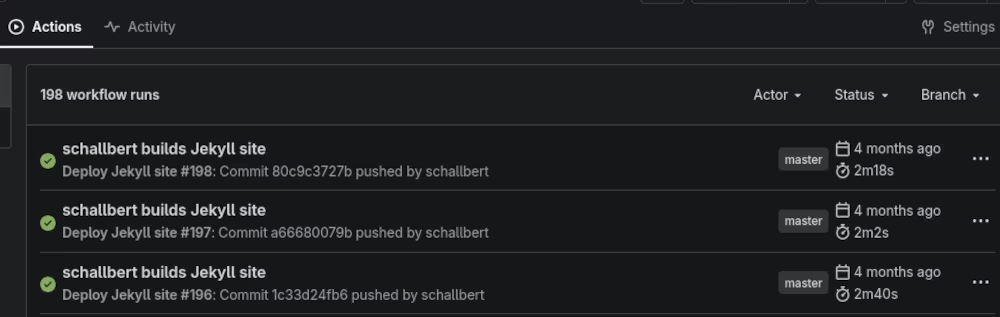
For Hugo, the entire process is weigh faster thanks to quicker build times and pre-built containers (see my article on the Continuous Deployment Pipeline with Hugo in Docker).
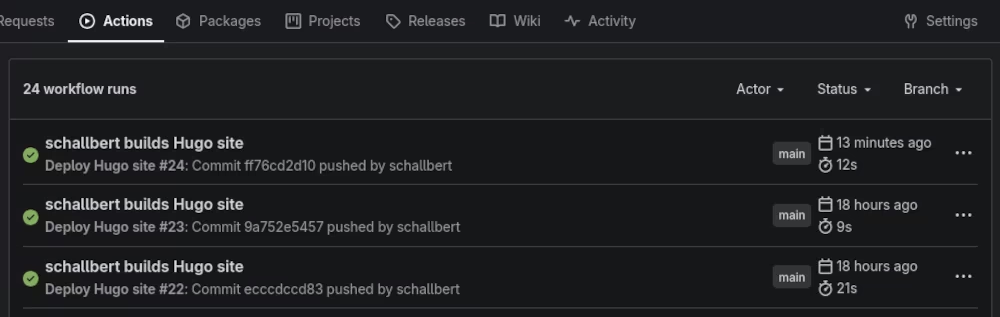
Even in the worst-case scenario (see build below), for example, after restarting the runner following an update and a change to the Docker repository for my Hugo container, I remain well under 30 seconds.
Complexity#
Clearly, Hugo is unbeatable here compared to Jekyll.
Since themes in Hugo are pluggable modules, they don’t require a dependency tree of Gems (as Jekyll does) to be fetched and installed. Consequently, there is much less that can go wrong. Locally, my “full build” time (bilingual) drops by 75%, and automatic builds triggered by changes to my Markdown files are both 5x faster and closer to the real thing: with Jekyll, enabling “incremental build” means paginator pages are no longer updated, meaning list views and overview pages aren’t built.
On the other hand, Jekyll allows for highly flexible, fine-grained manual intervention. I can design my own Gems and quite easily create special features for my site, such as a table of contents that scrolls along with the page. That is something I miss a bit in Hugo.
Conclusion: In terms of day-to-day usability, I definitely prefer Hugo over Jekyll. - schallbert, Sep-2026