Tonuino - alternative Firmware
Contents
Project stats#
- Difficulty: hard 5/5
- Cost: 0€
- Time: ~400h
Impressions#
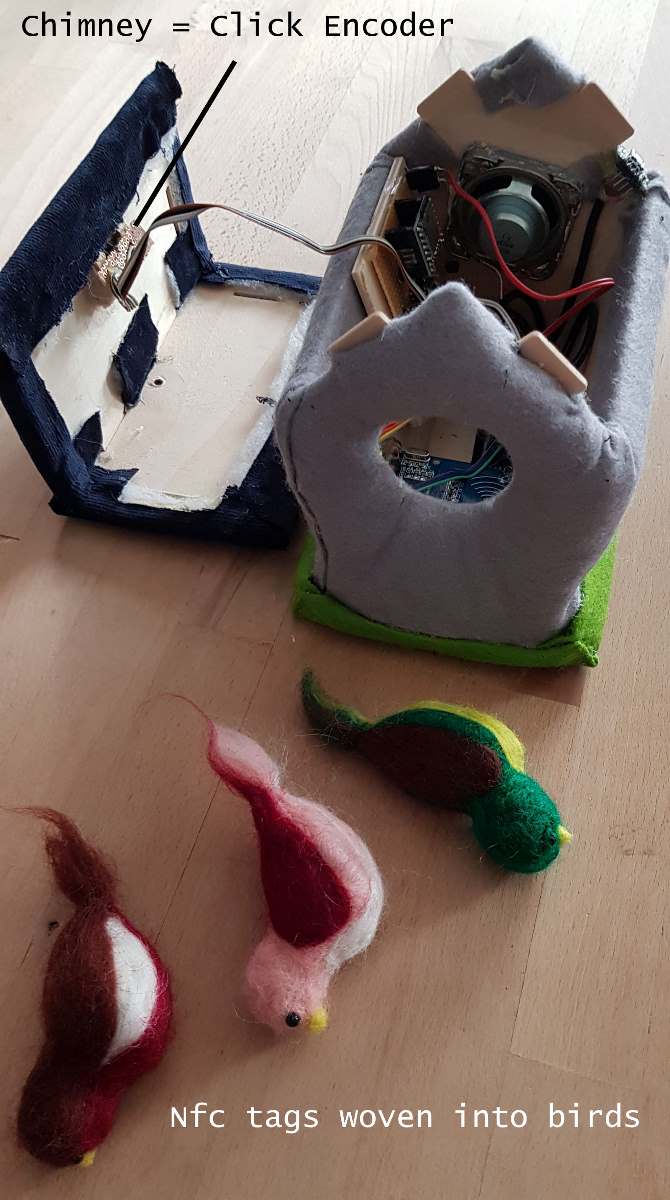
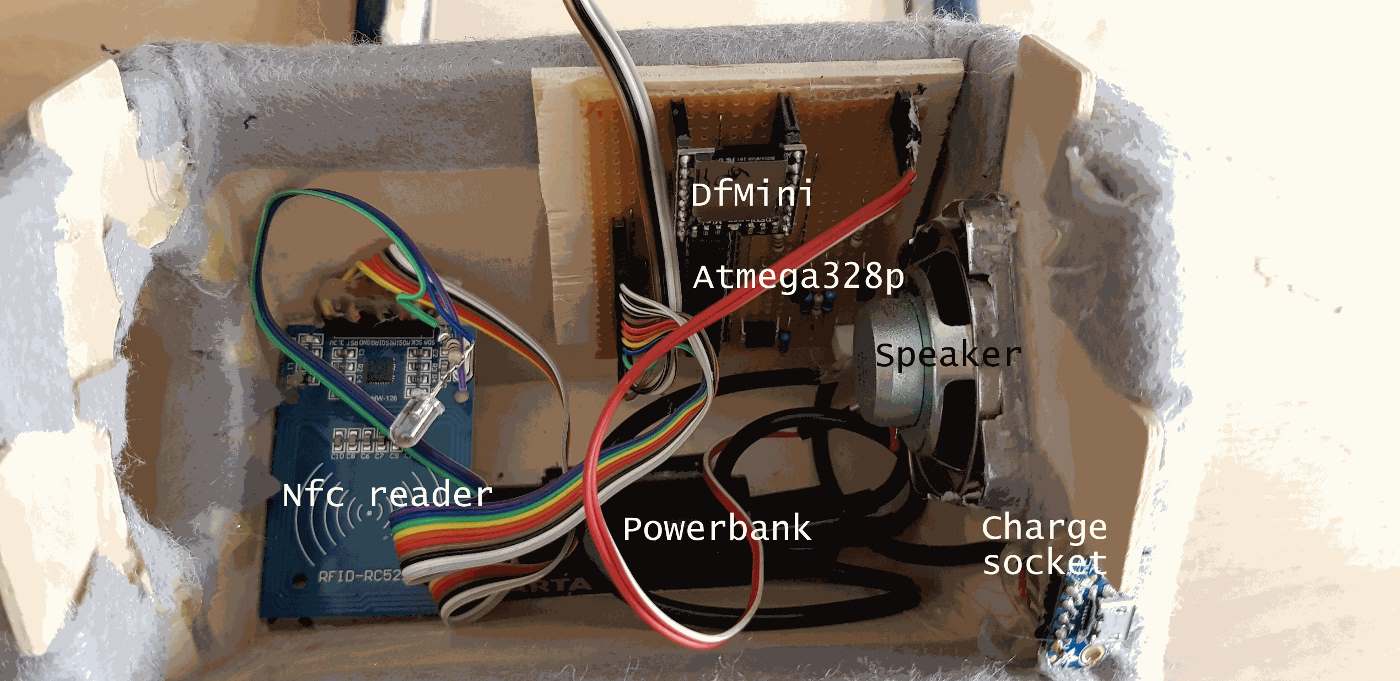
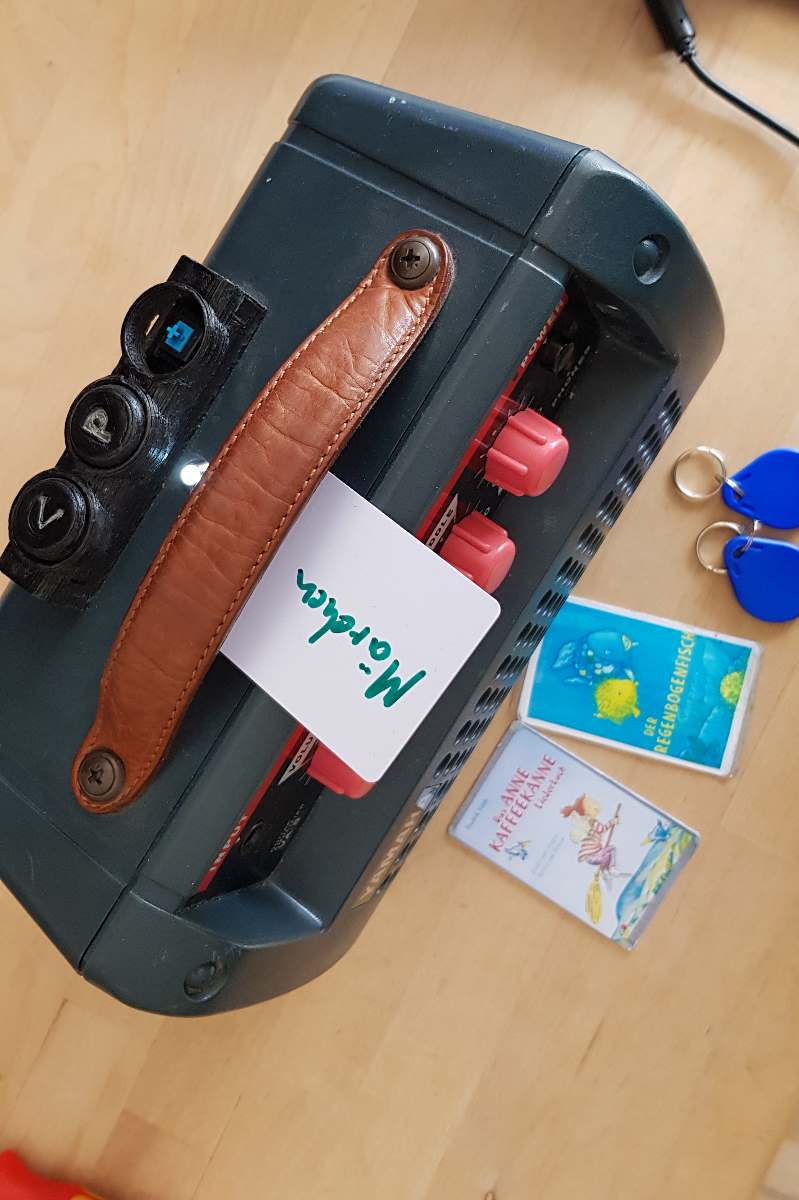
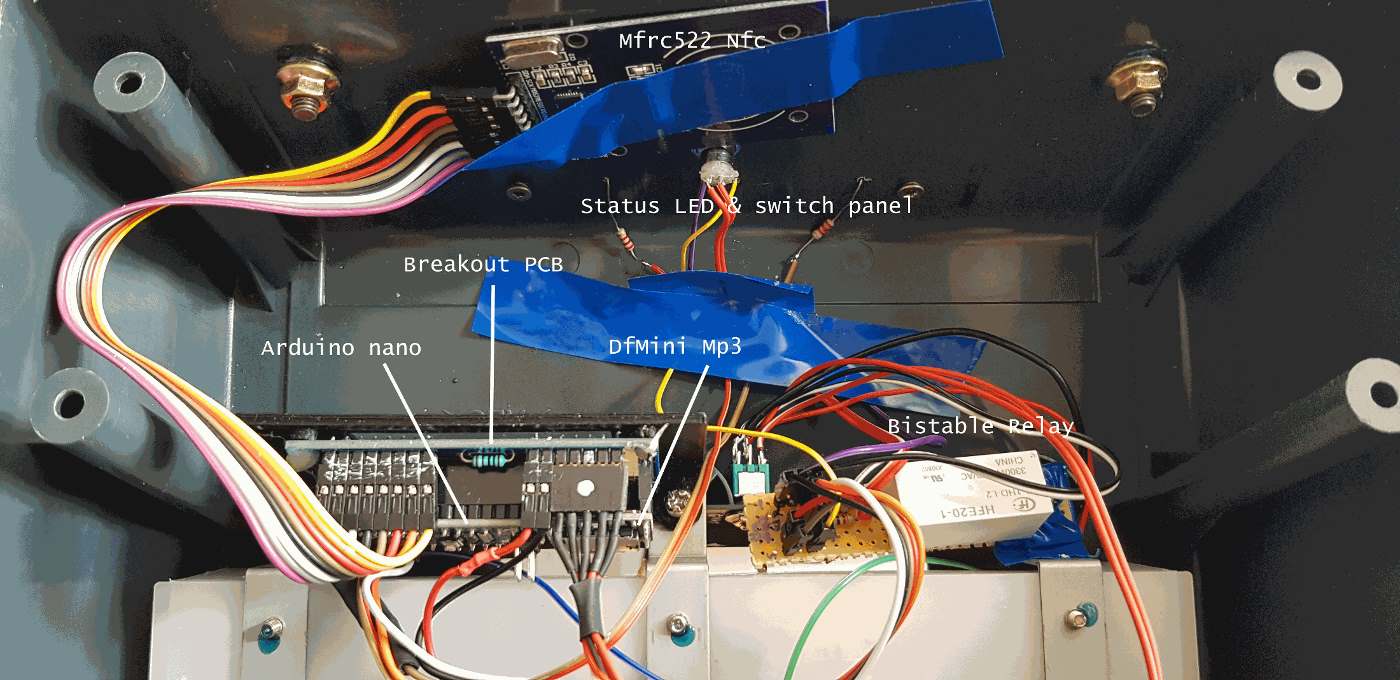

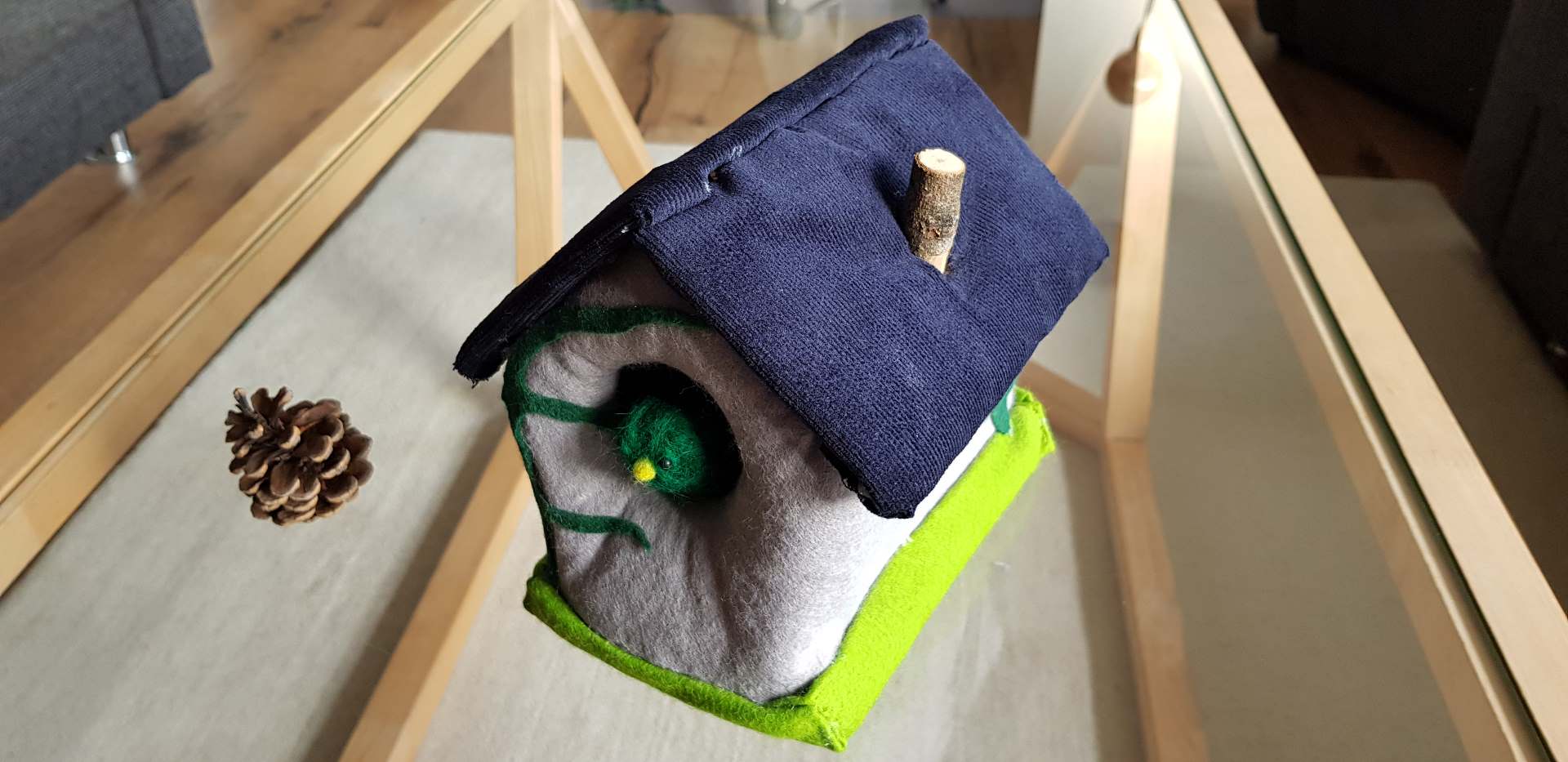
Motivation#
Idea and fantastic execution found on Thorsten Voß’s blog. It began with a feature (encoder support) that I wanted to add. Unfortunately, the original code was a single-file application with several thousand lines of code and poor readabilty, so I had a hard time getting my changes in. So I re-wrote the code from scratch for better structure, readability, maintainability, and extensibility. By doing this, in parallel I read some books about Object Oriented design in C++, Clean Code and Software Design Patterns and applied some where I tought they’d fit in. This way, I was able to both improve modularity and readability of the code, plus I taught myself how to write code in a “bigger” project.
Hurdles to overcome#
This was first real OO C++ project, and, maybe, it was a little big to start with. All the new-to-me concepts, writing to an interface, first-time usage of Platformio as IDE, utilizing the googletest unit test framework, using coding patterns like factory or Dependency Injection took nearly a year of evenings before this project could be completed. And there’s always something left to refactor and to improve.
Quick facts#
- Unit test suite of 250+ test cases
- Serial debug output configurable
- Loosely coupled C++ OO architecture
- Individual modules with clear tasks, scaleable and easily accessible for future feature add
- custom Hardware abstraction layer; most of the code should be portable to other mcus without changes
- custom Dependency Injection framework (Loader class)
Features#
- Configurable user input (buttons or encoder)
- Auto-Poweroff when no button pressed for a configurable time
- Power on via “play” button press
- Autoplay feature
- Status Led feature
- User Input lock/unlock feature
- Multiple playmodes [Album, Random, SaveProgress, OneTrack] available per Nfc Tag
- Voice menus for linking or deletion of Nfc Tags
- Optimized for battery applications (e.g. powerbank) using sleep states
- Low power consumption @5V: ~40mA in idle, ~75mA playing medium volume
- Config file for init volume, lullabye timer etc.
- Auto-recovery from stuck prompts
- Voice prompts for most common state errors
Features not incliuded#
- No powerbank state of charge detection
- No config settings menu (init volume, lullabye timer duration, standby duration etc.)
- …
Documentation#
The Project is build for the Arduino Framework - tested on an Arduino nano board - using the PlatformIO IDE. The following sections show the design.
Project Module overview#
Folder name in /lib | Purpose |
|---|---|
| Arduino | minimalistic close-to-Hardware implementations, not unit-testable |
| Arduino_HardwareAbstraction | Hardware abstraction to enable portability and testing |
| Config | System configuration parameters |
| Folder | Playlist and playmode business logic |
| Loader | Dependency Injection Framework |
| MessageHandler | System messages and Debug Framework |
| Mp3 | Mp3 control (Status, Folder, Prompts, Advertisements) |
| Nfc | Tag control (Status, Read, Write, Delete) |
| PowerManager | Control Status Led and Keep Alive based on system state |
| Tonuino | Main task scheduler |
| UserInput | Button or Encoder input handling |
| Utilities | Timers, Led Control, Pin control |
| VoiceMenu | Link / Delete / Config menu business logic |
External Libraries#
- Arduino’s TimerOne
- Arduino’s SoftwareSerial
- Schallbert’s ClickEncoder
- Makuna’s DFMini Mp3
- Miguel Balboa’s MFRC522
Auto-install through Platformio on initial build through Library Dependency Finder.
Class Diagrams#
Class diagrams would have been too much non-automated work. Take this instead, please. Software module overview It should give an accurate understanding of how the software module are interacting and what APIs the modules are offering.
Get started!#
It’s DIY time!
Clone my repository to get started with. Read the README.md document. Build it with PlatformIO.
Below you can find what you need to get started with your unique speaker design.
Testing#
Unit tests#
Unit tests are written with the gtest C++ unit test framework. The reside in the test/desktop folder. Note that googletest will require gcc with some libraries to be installed, how to can be found in one of my other projects.
Once these prerequisites are complete and a simple ASSERT_TRUE(false); test fails as expected using the gtest environment, the project’s Unit Tests can be built and run using pio test -e desktop -f desktop, detailed out here, in the PlatformIO CLI (terminal).
Acceptance tests#
Although these tests could be automated, it is much easier to just perform those tests by hand after you programmed your µC and put all electronic components together. Each line in the tables below is a test case on its own. The test suites (Heading name) do have a System Pre: property, that needs to be re-established prior to executing the individual test cases. If the expectation clause is met, the test is a PASS.
Switching ON#
System Pre: System is OFF
| Action | Expectation |
|---|---|
| press Play/Pause button | LED flashes slowly? |
| press Play/pause button | Welcome prompt plays? |
Switching OFF#
System Pre: System is ON
| Action | Expectation |
|---|---|
| Playback on pause, no button input | System switches off after a time? |
| System shutdown | Farewell prompt plays? |
| System shutdown | LED switched off? |
Play Help Prompt#
System Pre: System is ON
| Action | Expectation |
|---|---|
| Long press Play/Pause button | Help prompt plays? |
| Help prompty playing | Can be interrupted with any button press? |
Behavior without Tag#
System Pre: System is ON, no Tag present
| Action | Expectation |
|---|---|
| press Play/Pause button | prompts “couldn’t find track” error? |
| press Next button | prompts “couldn’t find track” error? |
| press Prev button | prompts “couldn’t find track” error? |
| doubleclick Play/Pause button | Delete Menu prompt played? |
Behavior with Tag#
System Pre: System is ON, linked Tag available
| Precondition | Action | Expectation |
|---|---|---|
| no Tag placed | place known Tag | starts Playback of correct Folder? |
| active playback | press Next button | plays next track? |
| active playback | press Next button | next track in accordance with selected playMode of Folder? |
| active playback | long press Next button | increases volume? |
| active playback | press Prev button | plays previous track? |
| active playback | press Prev button | previous track in accordance with selected playMode of Folder? |
| active playback | long press Prev button | decreases volume? |
| active playback | press Play/Pause button | pauses track? |
| paused playback | press Play/Pause button | resumes track? |
| active playback | doubleclick Play/Pause button | Lock prompt played? |
| active playback | doubleclick Play/Pause button | Playback resumes after Lock prompt played? |
| active playback | doubleclick Play/Pause button | locks button input? |
| locked button input | doubleclick Play/Pause button | Unlock prompt played? |
| locked button input | doubleclick Play/Pause button | Playback resumes after Unlock prompt played? |
| locked button input | doubleclick Play/Pause button | unlocks button input? |
| paused playback | doubleclick Play/Pause button | Playback resumes after Lock prompt played? |
Behavior with unlinked Tag#
System Pre: System is ON
| Action | Expectation |
|---|---|
| place unlinked Tag | plays LinkMenu Prompt? |
| navigate through LinkMenu | plays Configuration Success Prompt? |
| place Tag again | plays linked folder? |
Hardware#
Material list#
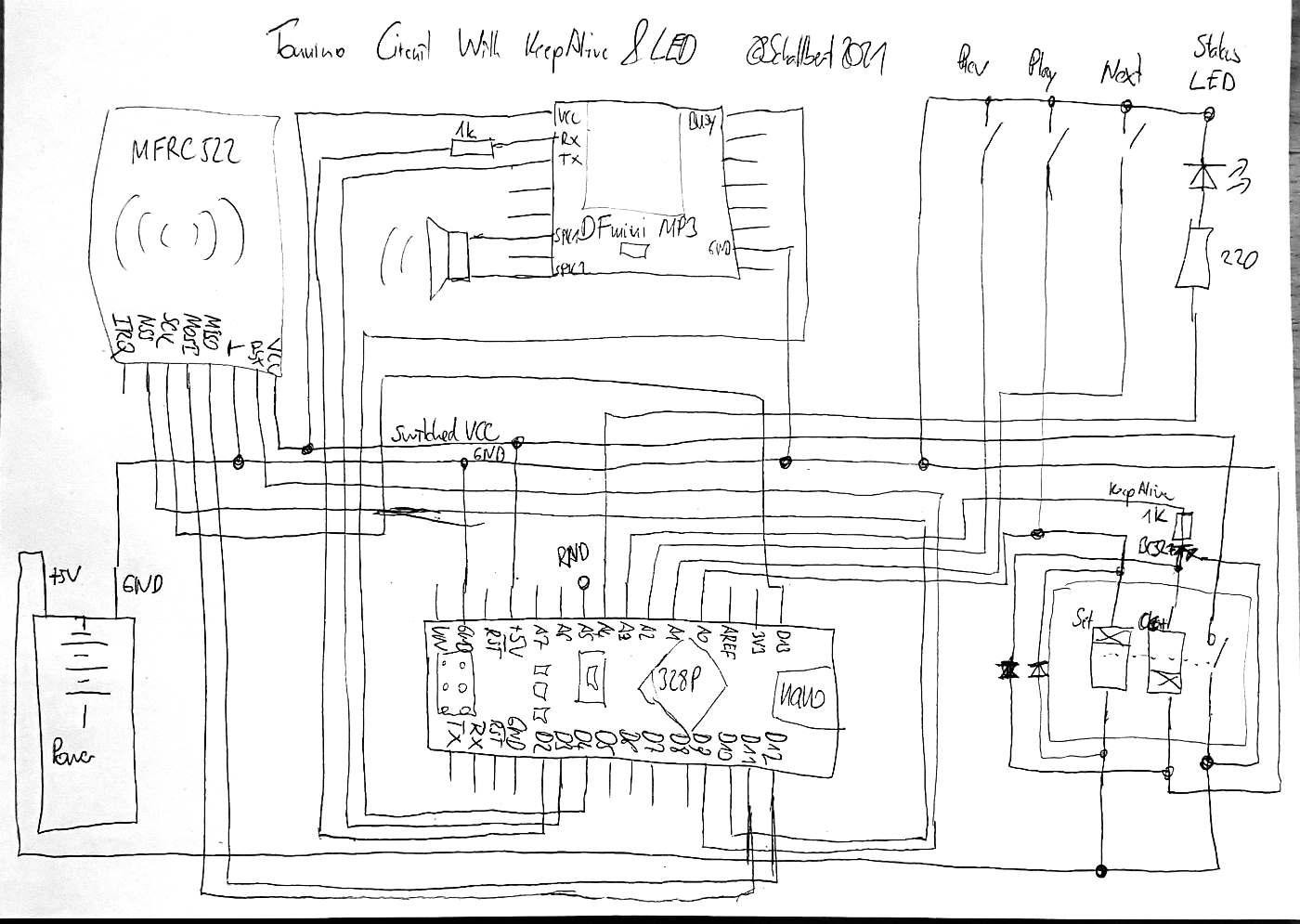
Minimal discrete parts approach
| Amount | Item | Purpose |
|---|---|---|
| 1 | Arduino (e.g. Nano) | Brains |
| 1 | Dfplayer Mini Mp3 Player | Mouth |
| 1 | Micro SD Card | Memory |
| 1 | MFRC522 Nfc Reader | Psi-Sense |
| 1 | Bistable Relay 5V, e.g. HFE20 | Coffee - no sleep |
| 2 | Diodes e.g. 1n4007 | vene valve |
| 1 | PNP Transistor e.g. BC327 | Coffee maker switch |
| 2 | Resistors 1k | blood-stream conditioner |
| 1 | Resistor 220 | dim blink strength |
| 1 | LED, color of choice | blink |
| 1 | Powerbank/ 5V supply | Food |
| 3 | push buttons, e.g. cherry MX keys | pressure sensors |
| 1 | speaker, e.g.5W@4Ohms | Lungs |
| 1 | USB-A plug | Straw |
| 1 | housing | Body |
Additional coponents and tips#
Jumper wires, PCB, Sockets, and expendable materials as you deem fit Same as for the “original” project; Alternatively buy one rotary encoder instead of push buttons and configure the project to use it. As the system is optimized for battery usage, take a bi-stable relay or a JFET transistor (with low gate voltage and low Source-Drain voltage drop) for keepAlive functionality mitigating additional current add through always-on relay coils. A cheap powerbank will last for many hours. Alternatively, e.g. 3xAA batteries can be used - but the Dfmini will really make some noise if not enough current can be supplied due to running resets (and may even get bricked through current surges, so beware).
Schematics#